


HDR-GS: Efficient High Dynamic Range Novel View Synthesis at 1000x Speed via Gaussian Splatting
Paper • 2405.15125 • Published • 8



High dynamic range · Exposure control · Gaussian splatting · Novel view synthesis
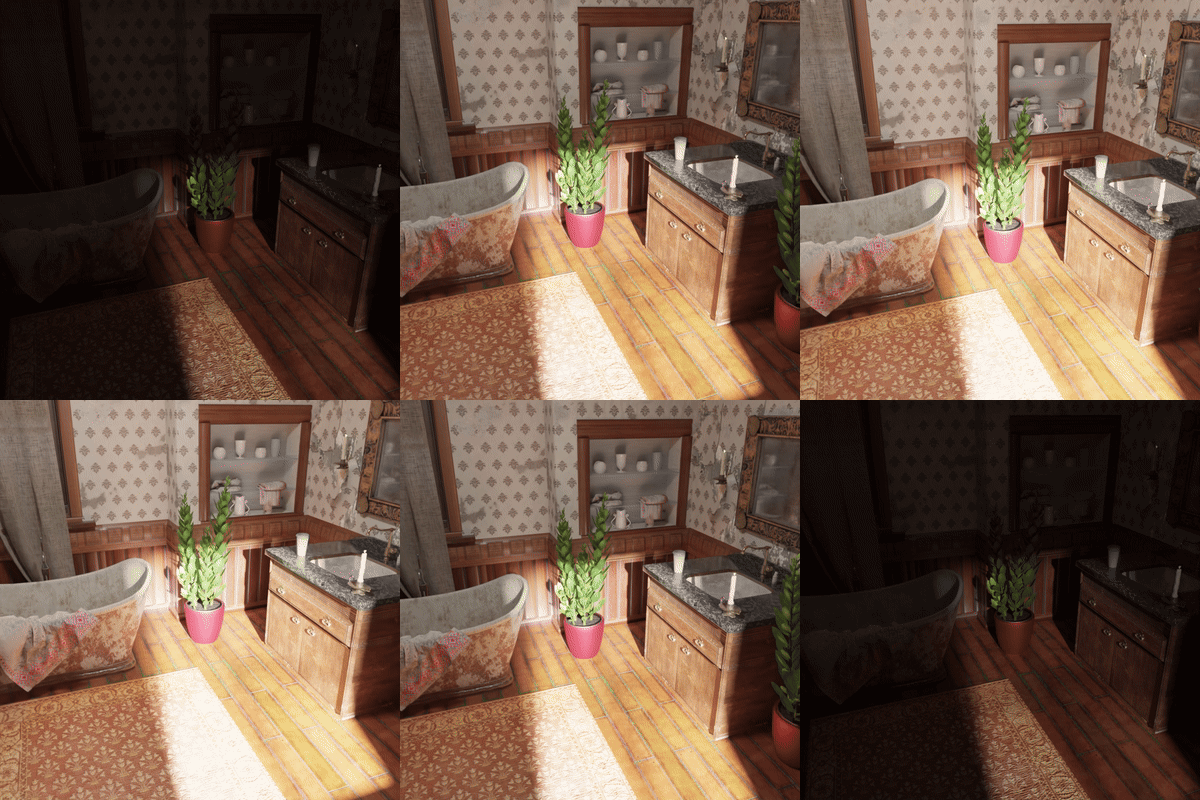
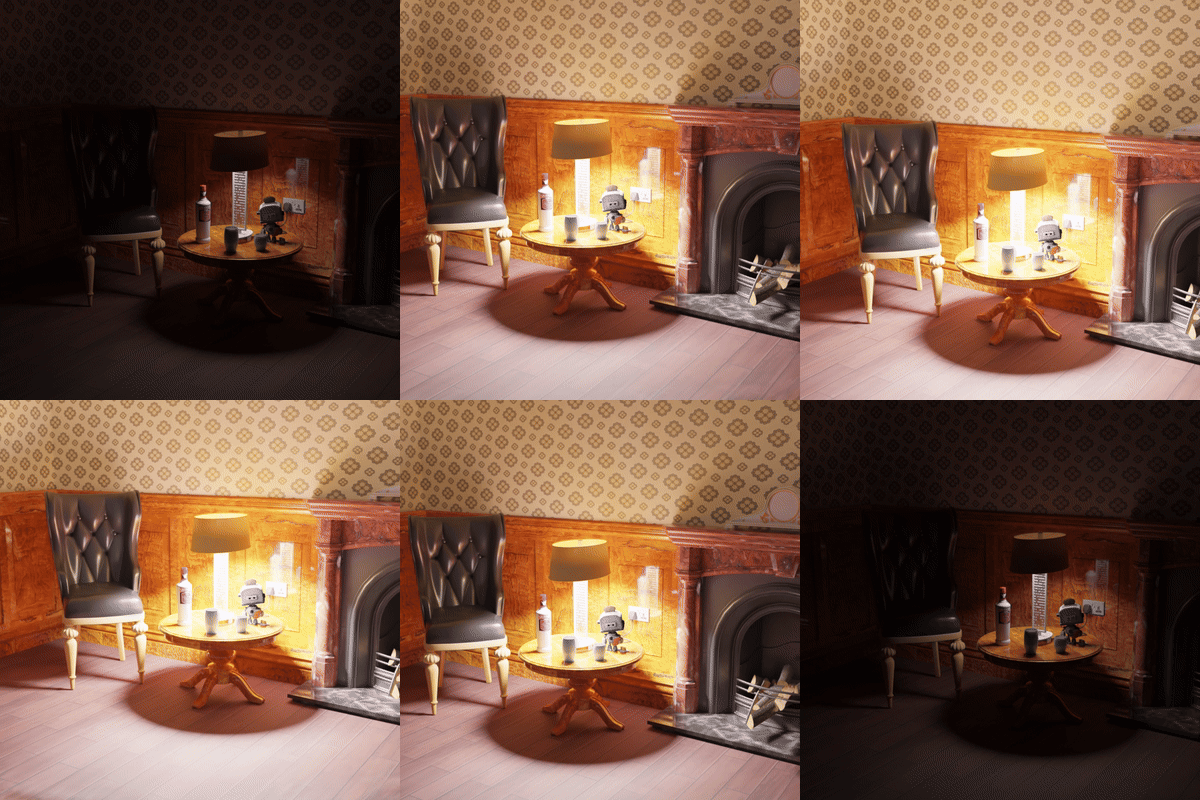
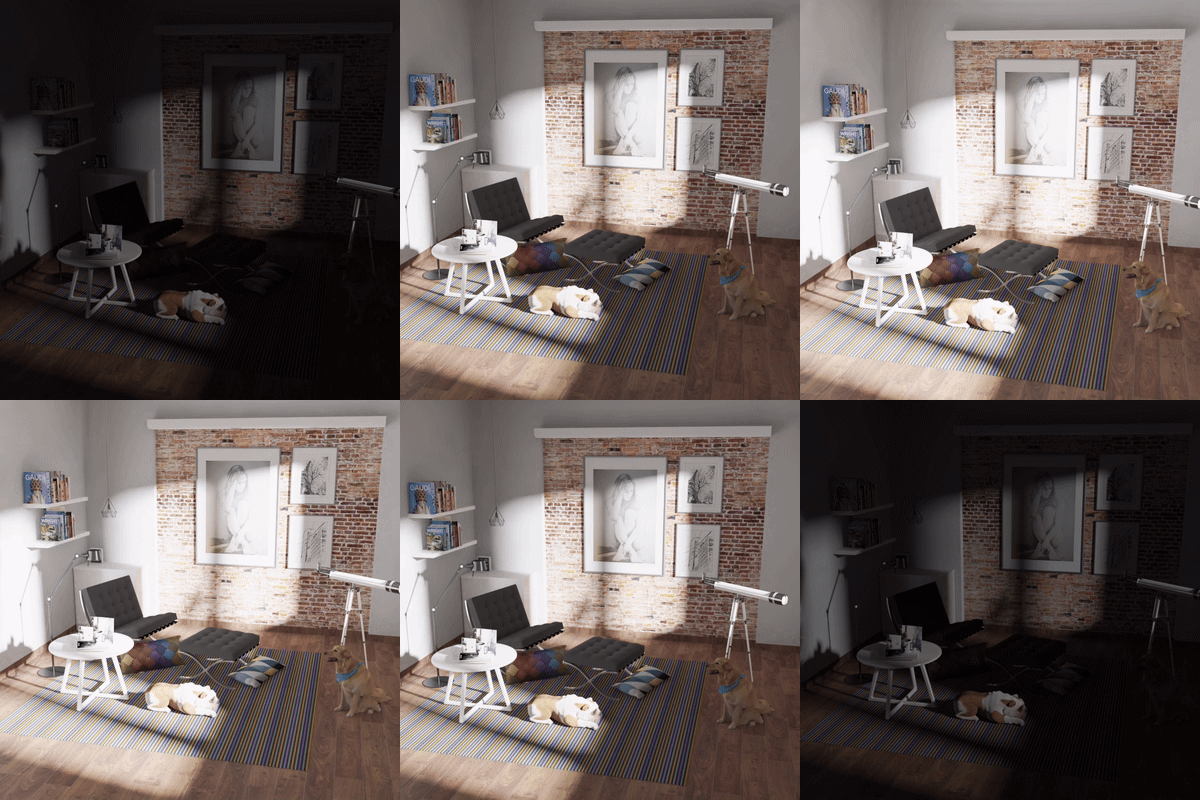
Explore all 12 scenes in the HDR-GS Gradio demo. Compare paired LDR and HDR videos, inspect both interactive Gaussian point clouds, and vary camera motion and exposure. Use a built-in scene or upload a compatible HDR-GS PLY with its matching tone mapper to render new views.

 |
 |
 |
Bathroom |
Chair |
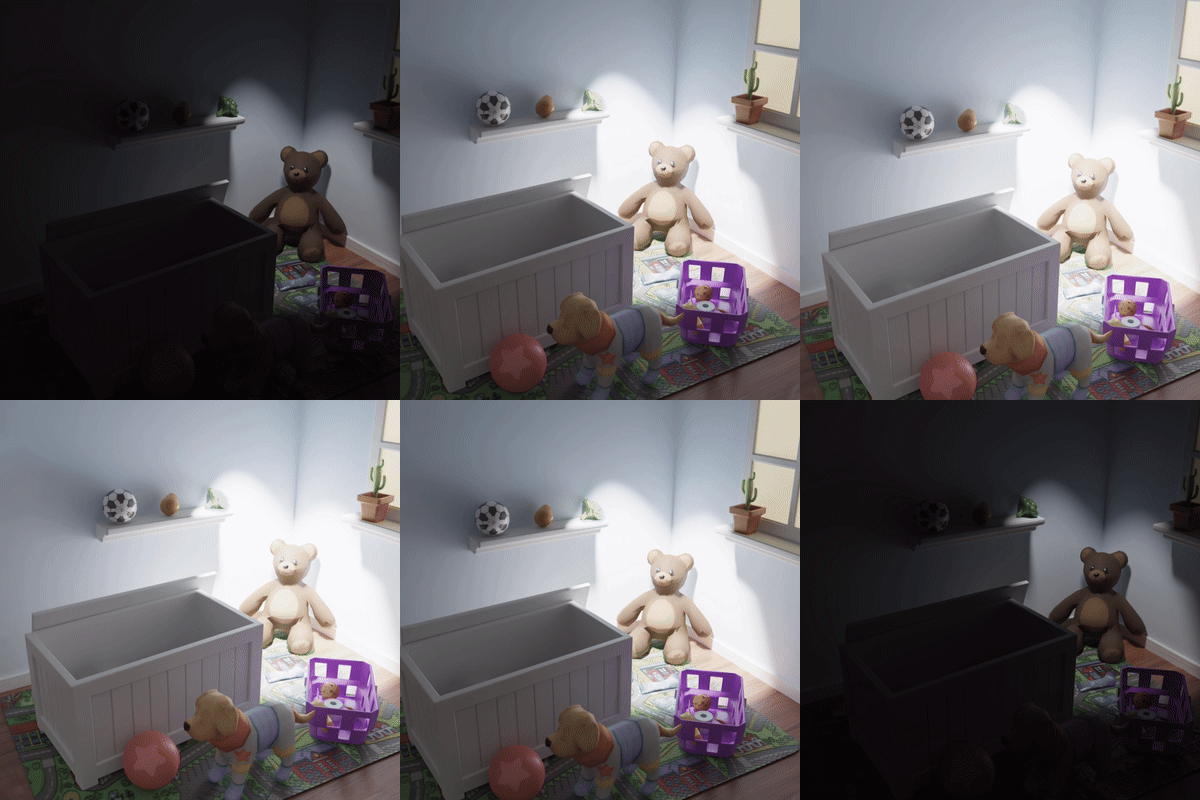
Dog |
 |
 |
 |
Bear |
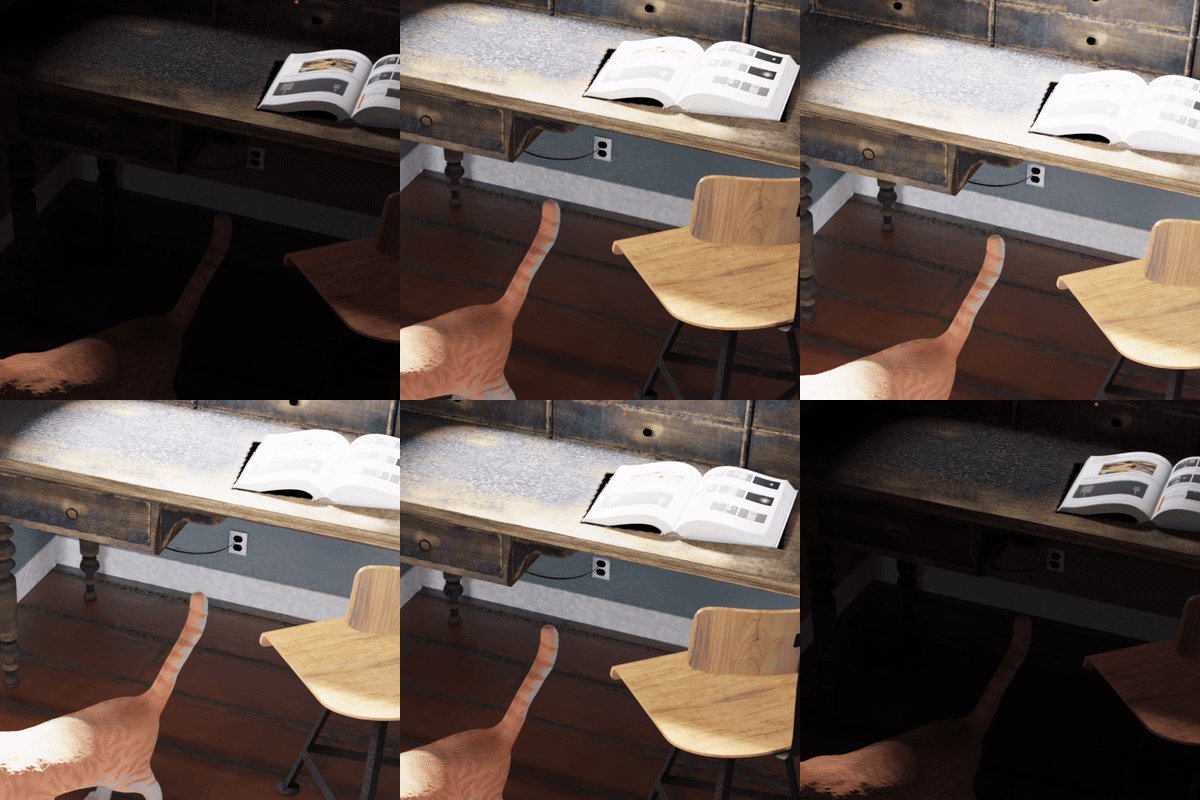
Desk |
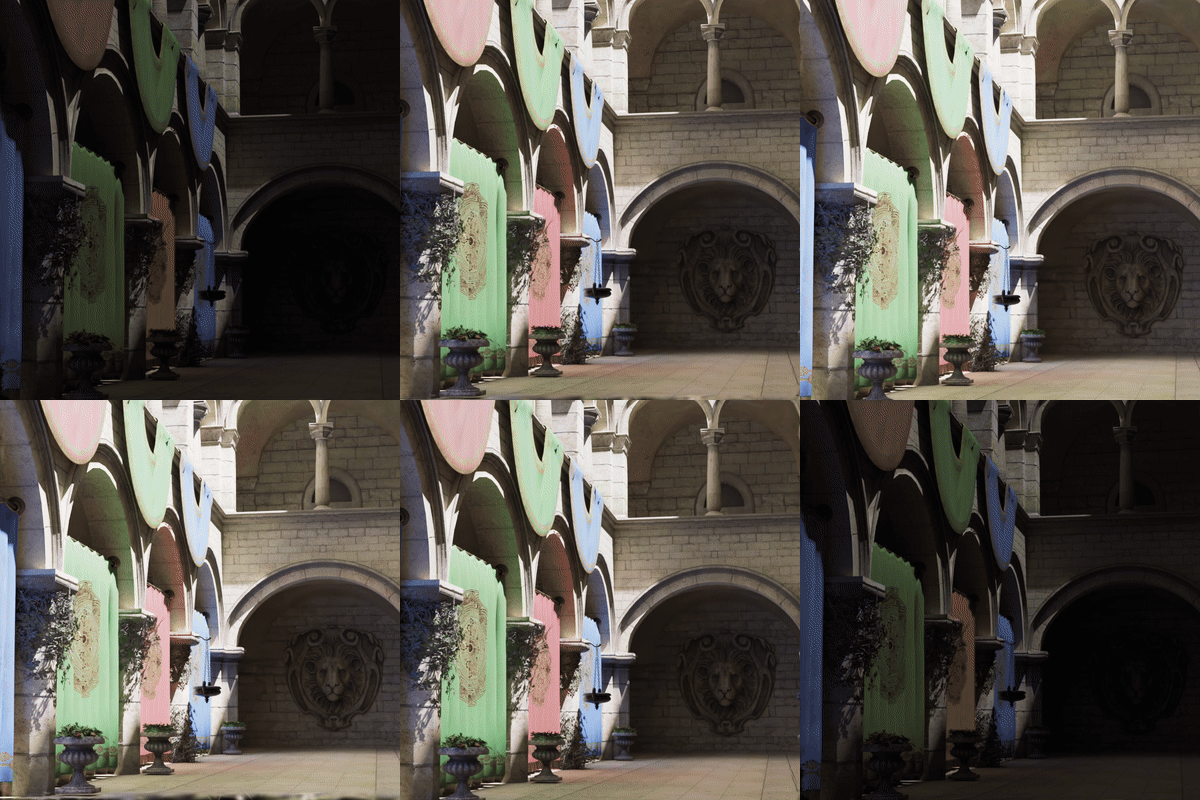
Sponza |
Demonstrations from the official HDR-GS project repository.
HDR-GS (High Dynamic Range Gaussian Splatting) synthesizes novel HDR views and renders LDR views with a user-specified exposure time. The method introduces a Dual Dynamic Range (DDR) Gaussian point cloud model and Parallel Differentiable Rasterization (PDR). It represents HDR color with spherical harmonics and uses an MLP-based tone mapper to produce exposure-dependent LDR color. See the NeurIPS 2024 paper.
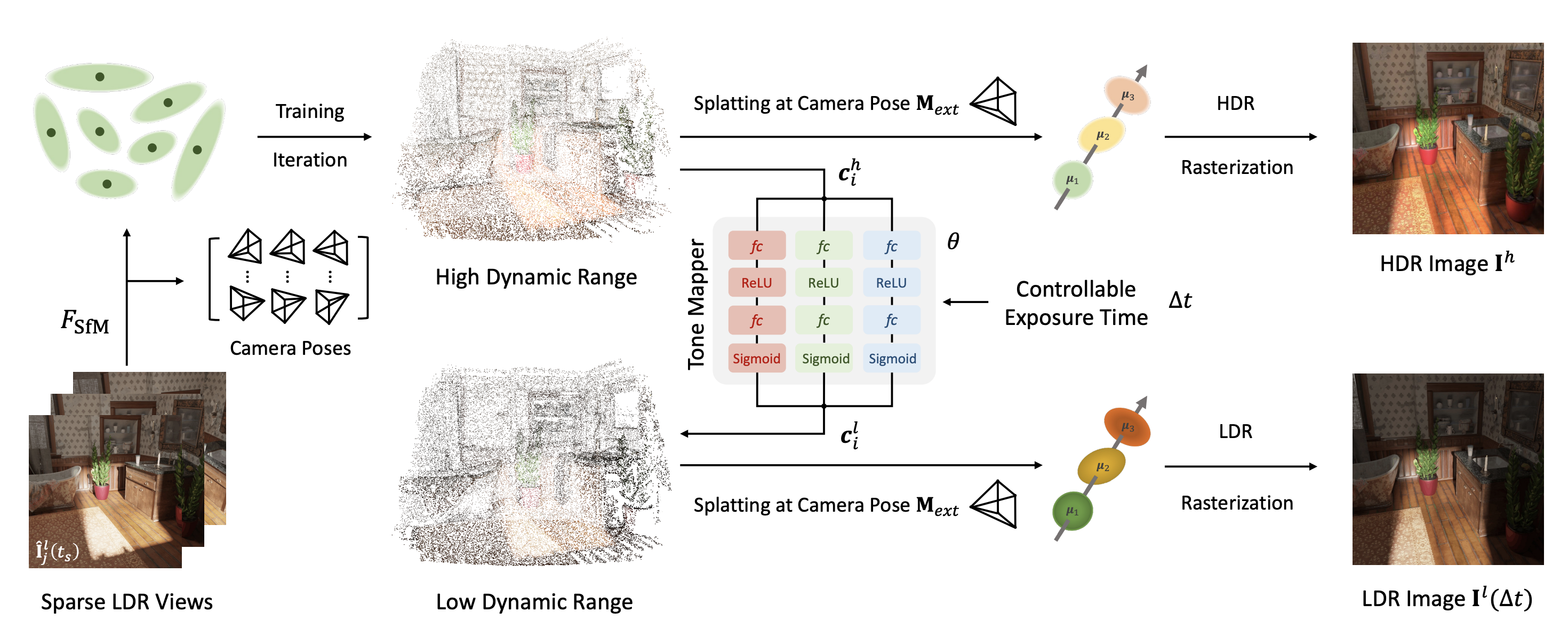
This repository provides scene-specific pretrained Gaussian point clouds and tone-mapping networks. Each pair represents a fitted scene and is loaded using the official HDR-GS code.
The released checkpoints are grouped under synthetic/ and real/. Each scene folder contains its matching point_cloud.ply and tone_mapper.pth. Download both files together.
| Group | Scene | Model directory | Configuration |
|---|---|---|---|
| Synthetic | Bathroom | synthetic/bathroom/ |
bathroom.yaml |
| Synthetic | Bear | synthetic/bear/ |
bear.yaml |
| Synthetic | Chair | synthetic/chair/ |
chair.yaml |
| Synthetic | Desk | synthetic/desk/ |
desk.yaml |
| Synthetic | Dining Room | synthetic/diningroom/ |
diningroom.yaml |
| Synthetic | Dog | synthetic/dog/ |
dog.yaml |
| Synthetic | Sofa | synthetic/sofa/ |
sofa.yaml |
| Synthetic | Sponza | synthetic/sponza/ |
sponza.yaml |
| Real | Flower | real/flower/ |
flower.yaml |
| Real | Computer | real/computer/ |
computer.yaml |
| Real | Box | real/box/ |
box.yaml |
| Real | Lucky Cat | real/luckycat/ |
luckycat.yaml |
Interactive preview files and videos are available in the Dataset visualization directory.
The released Bathroom and Sofa checkpoints use the original HDR Gaussian geometry and updated tone mappers. The original revision provides the starting weights for these two scenes.
Release benchmark · Archived training code and scene YAMLs · Google Drive weights
git clone https://github.com/caiyuanhao1998/HDR-GS --recursive
cd HDR-GS
conda env create --file environment.yml
conda activate hdr_gs
Follow the official setup instructions to configure a CUDA development toolkit (nvcc) and a compatible C++ compiler. On Linux, the tested combination is CUDA 11.8 and GCC 11. Then build both CUDA extensions after PyTorch is installed:
python -m pip install --no-build-isolation ./submodules/diff-gaussian-rasterization ./submodules/simple-knn
Set up the hdr_gs_demo environment as described in the same setup section to use the download commands below.
Run these commands from the project root to download the Bathroom checkpoint pair and matching scene data. The root config.json lists all checkpoint files and is used by the Hub for download statistics.
conda run --no-capture-output -n hdr_gs_demo hf download CaiYuanhao/HDR-GS --include "config.json" --include "synthetic/bathroom/**" --local-dir pretrained_weights
conda run --no-capture-output -n hdr_gs_demo hf download CaiYuanhao/HDR-GS --repo-type dataset --include "synthetic/bathroom/**" --local-dir data_hdr
The expected local layout is:
HDR-GS/
├── config/bathroom.yaml
├── data_hdr/synthetic/bathroom/
│   ├── images/
│   ├── exr/
│   └── sparse/0/
└── pretrained_weights/
    ├── config.json
    └── synthetic/bathroom/
        ├── point_cloud.ply
        └── tone_mapper.pth
python3 train_synthetic.py \
    --config config/bathroom.yaml \
    --eval \
    --gpu_id 0 \
    --syn \
    --load_path pretrained_weights/synthetic/bathroom \
    --test_only
--load_path points to the directory containing both point_cloud.ply and tone_mapper.pth. The scene data supplies the cameras and reference images used by the evaluation pipeline. The test-only path runs video inference and evaluation; results are written to the run's output directory.
For Sofa, replace "synthetic/bathroom/**" with "synthetic/sofa/**" in both download commands above and run the matching evaluation command.
python3 train_synthetic.py \
    --config config/sofa.yaml \
    --eval \
    --gpu_id 0 \
    --syn \
    --load_path pretrained_weights/synthetic/sofa \
    --test_only
Train a new scene model with its matching configuration:
# Synthetic scene
python3 train_synthetic.py --config config/bathroom.yaml --eval --gpu_id 0 --syn

# Real scene
python3 train_real.py --config config/flower.yaml --eval --gpu_id 0
The released bathroom and sofa configurations specify 30,000 training iterations, Gaussian optimization and densification settings, and separate tone-mapper learning rates. Their render_video and video_render_exps options configure the spiral video and exposure range. See the scene configurations and testing instructions.
Saved scene models contain point_cloud.ply and tone_mapper.pth together under the run's point_cloud/iteration_* directory. Point --load_path to that directory to render a trained model.
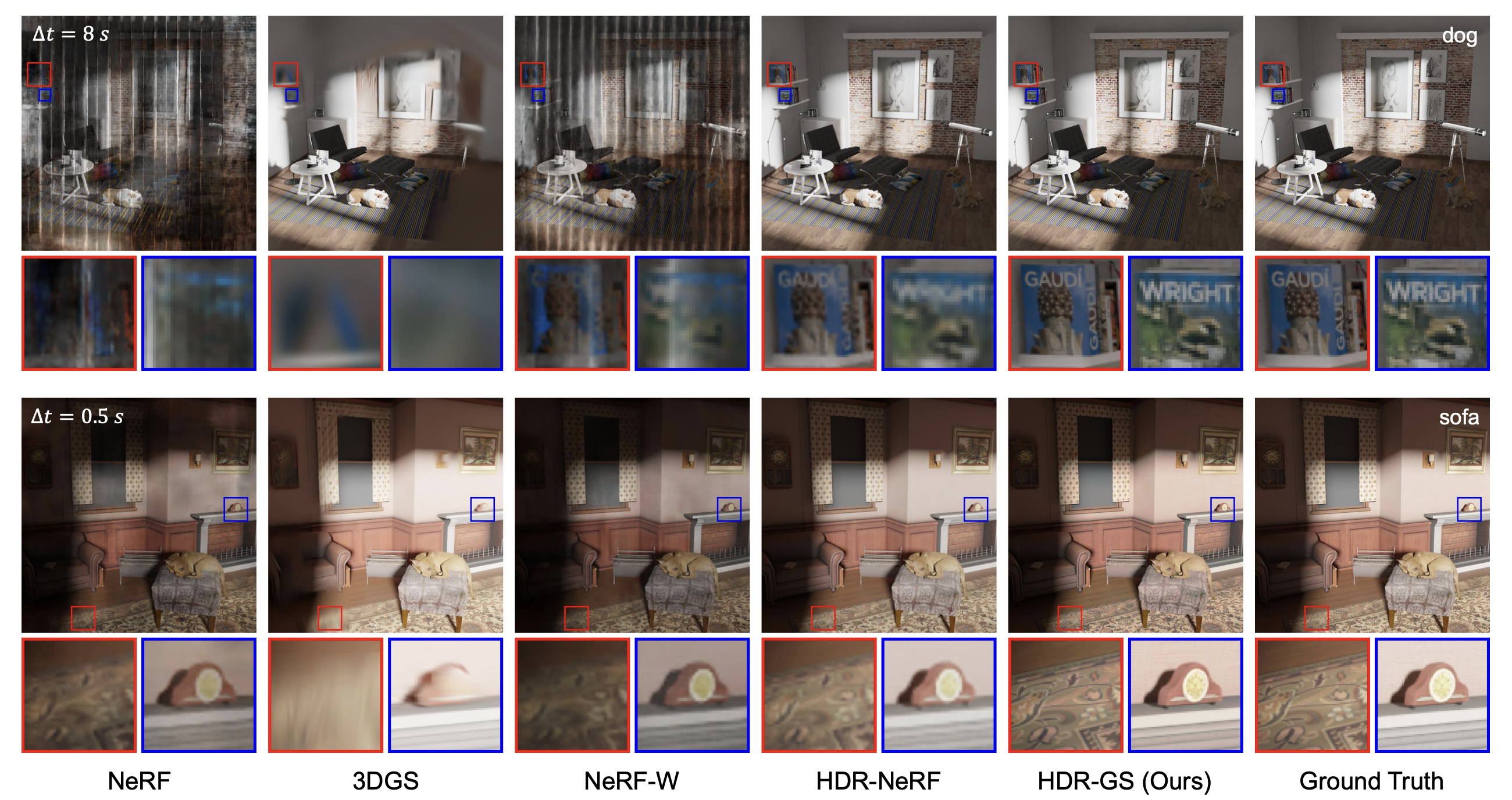
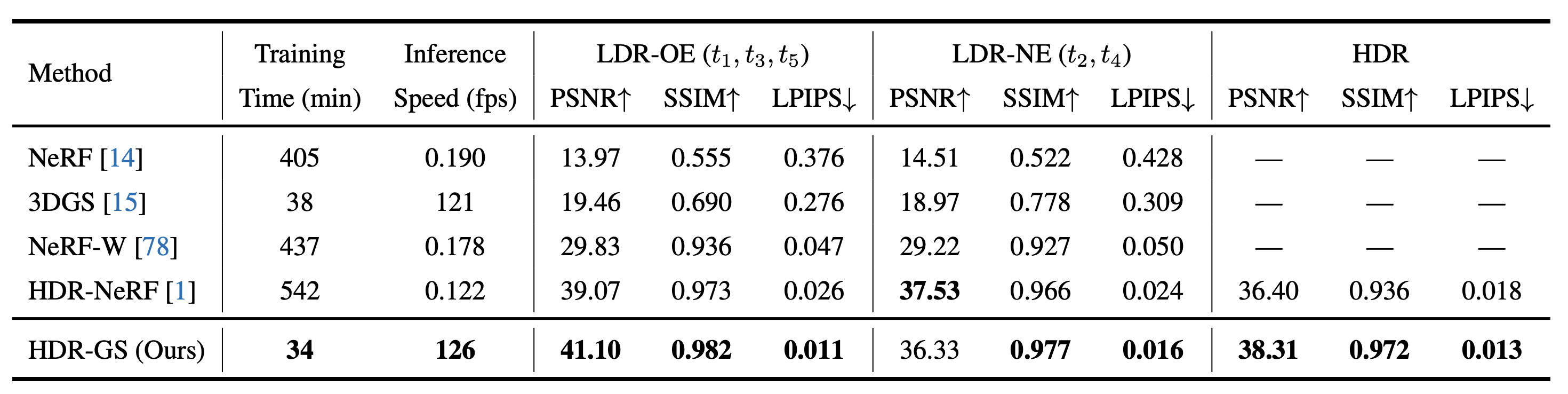
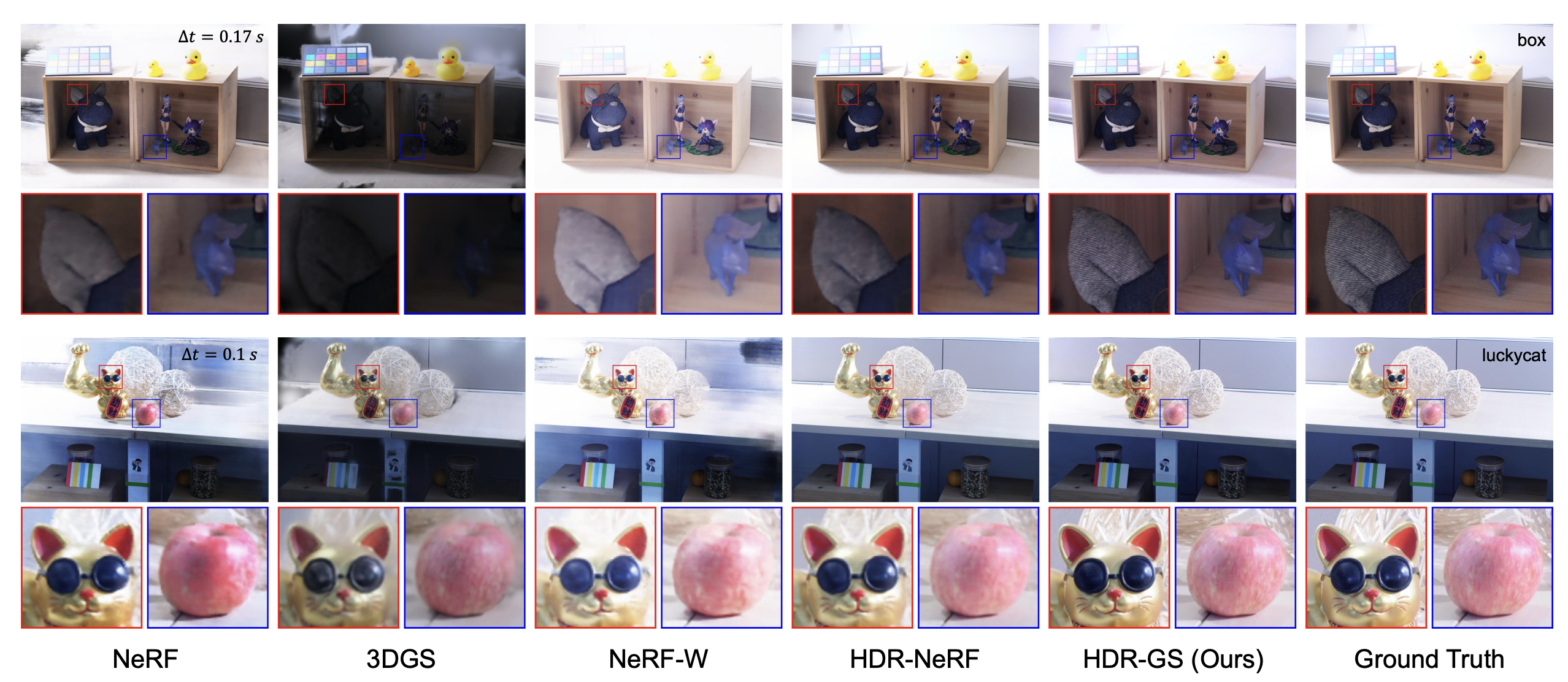
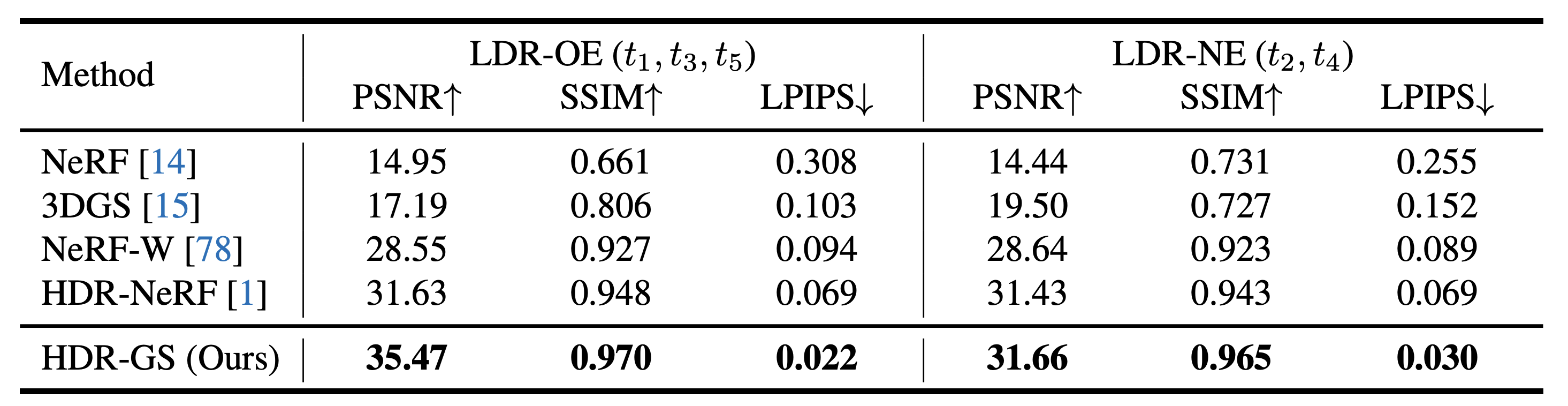
Figures are reproduced from the official project and report the original experiments.
Interactive comparisons: Bathroom · Chair · Diningroom · Dog · Sofa · Sponza
@inproceedings{hdr_gs,
  title={HDR-GS: Efficient High Dynamic Range Novel View Synthesis at 1000x Speed via Gaussian Splatting},
  author={Yuanhao Cai and Zihao Xiao and Yixun Liang and Minghan Qin and Yulun Zhang and Xiaokang Yang and Yaoyao Liu and Alan Yuille},
  booktitle={NeurIPS},
  year={2024}
}