
Diffusers documentation
OmniGen
OmniGen
来自 BAAI 的 OmniGen: Unified Image Generation,作者为 Shitao Xiao、Yueze Wang、Junjie Zhou、Huaying Yuan、Xingrun Xing、Ruiran Yan、Chaofan Li、Shuting Wang、Tiejun Huang、Zheng Liu。
该论文的摘要如下:
大语言模型(LLM)的出现统一了语言生成任务,并彻底改变了人机交互方式。然而,在图像生成领域,能够在单一框架内处理多种任务的统一模型仍鲜有探索。在本工作中,我们提出了 OmniGen,一种用于统一图像生成的新型扩散模型。OmniGen 具有以下特点:1) 统一性:OmniGen 不仅具备文本到图像的生成能力,还天然支持多种下游任务,例如图像编辑、主体驱动生成和视觉条件生成。2) 简洁性:OmniGen 的架构高度简化,无需额外的插件。此外,与现有的扩散模型相比,它更易于使用,能够通过指令端到端地完成复杂任务,无需额外的中间步骤,从而大大简化了图像生成工作流。3) 知识迁移:得益于统一格式下的学习,OmniGen 能够有效地在不同任务之间迁移知识,处理未见过的任务和领域,并展现出新颖的能力。我们还探索了模型的推理能力以及思维链机制的潜在应用。本工作是对通用图像生成模型的首次尝试,我们将在 https://github.com/VectorSpaceLab/OmniGen 发布我们的资源,以促进未来的发展。
请务必参阅 调度器指南,了解如何探索调度器速度与质量之间的权衡,并查看 跨流水线复用组件 部分,了解如何高效地将相同组件加载到多个流水线中。
此流水线由 staoxiao 贡献。原始代码库可在此处找到。原始权重可在 hf.co/shitao 下找到。
加载模型检查点
模型权重可能存储在 Hub 或本地的不同子文件夹中,在这种情况下,您应使用 from_pretrained() 方法。
import torch
from diffusers import OmniGenPipeline

pipe = OmniGenPipeline.from_pretrained("Shitao/OmniGen-v1-diffusers", dtype=torch.bfloat16)
文本到图像
对于文生图任务,请传入文本提示词。默认情况下,OmniGen 会生成 1024x1024 的图像。
您可以尝试设置 height 和 width 参数,以生成不同尺寸的图像。
import torch
from diffusers import OmniGenPipeline

pipe = OmniGenPipeline.from_pretrained(
    "Shitao/OmniGen-v1-diffusers",
    dtype=torch.bfloat16
)
pipe.to("cuda")  # or "mps", "xpu", "cpu"

prompt = "Realistic photo. A young woman sits on a sofa, holding a book and facing the camera. She wears delicate silver hoop earrings adorned with tiny, sparkling diamonds that catch the light, with her long chestnut hair cascading over her shoulders. Her eyes are focused and gentle, framed by long, dark lashes. She is dressed in a cozy cream sweater, which complements her warm, inviting smile. Behind her, there is a table with a cup of water in a sleek, minimalist blue mug. The background is a serene indoor setting with soft natural light filtering through a window, adorned with tasteful art and flowers, creating a cozy and peaceful ambiance. 4K, HD."
image = pipe(
    prompt=prompt,
    height=1024,
    width=1024,
    guidance_scale=3,
    generator=torch.Generator(device="cpu").manual_seed(111),
).images[0]
image.save("output.png")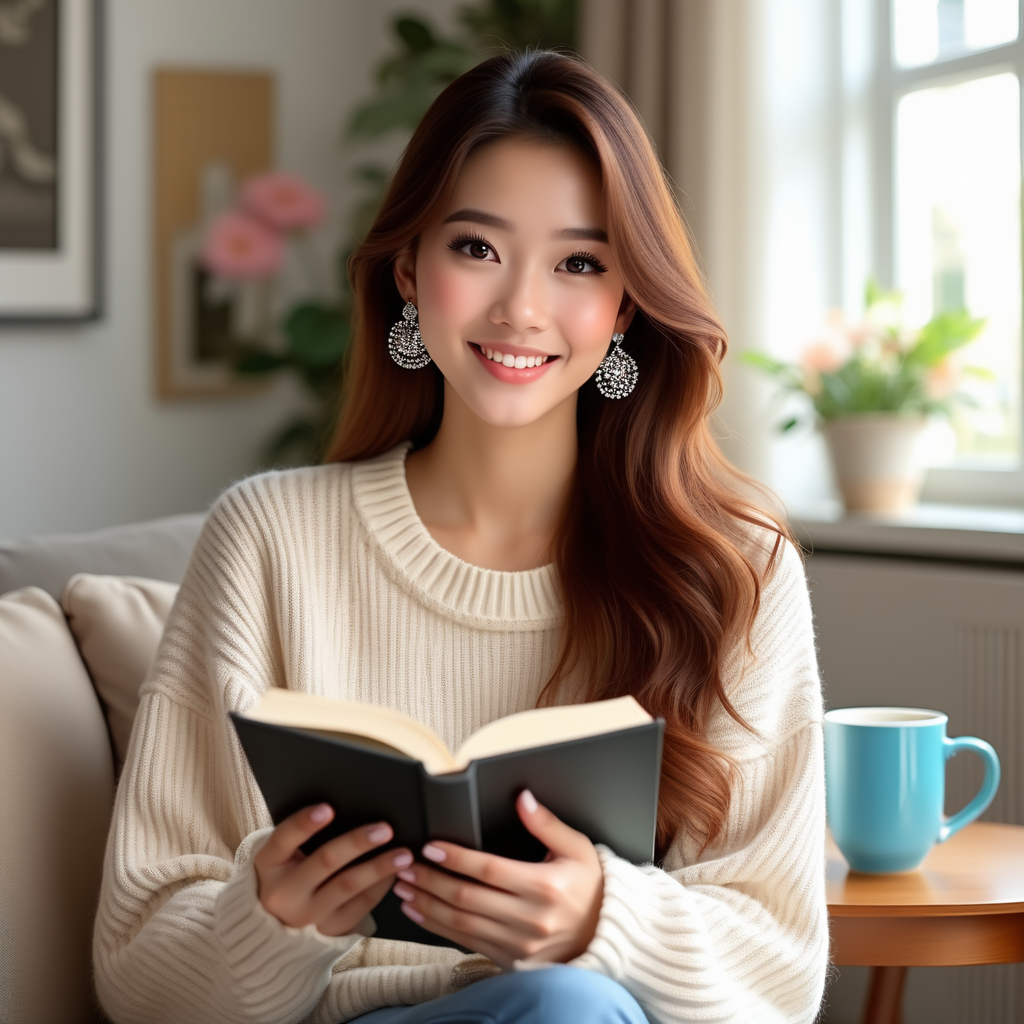
图像编辑
OmniGen 支持多模态输入。
当输入包含图像时,需要在文本提示中添加占位符 <img><|image_1|></img> 来表示该图像。
建议启用 use_input_image_size_as_output,以确保编辑后的图像与原始图像尺寸一致。
import torch
from diffusers import OmniGenPipeline
from diffusers.utils import load_image

pipe = OmniGenPipeline.from_pretrained(
    "Shitao/OmniGen-v1-diffusers",
    dtype=torch.bfloat16
)
pipe.to("cuda")  # or "mps", "xpu", "cpu"

prompt="<img><|image_1|></img> Remove the woman's earrings. Replace the mug with a clear glass filled with sparkling iced cola."
input_images=[load_image("https://raw.githubusercontent.com/VectorSpaceLab/OmniGen/main/imgs/docs_img/t2i_woman_with_book.png")]
image = pipe(
    prompt=prompt,
    input_images=input_images,
    guidance_scale=2,
    img_guidance_scale=1.6,
    use_input_image_size_as_output=True,
    generator=torch.Generator(device="cpu").manual_seed(222)
).images[0]
image.save("output.png") 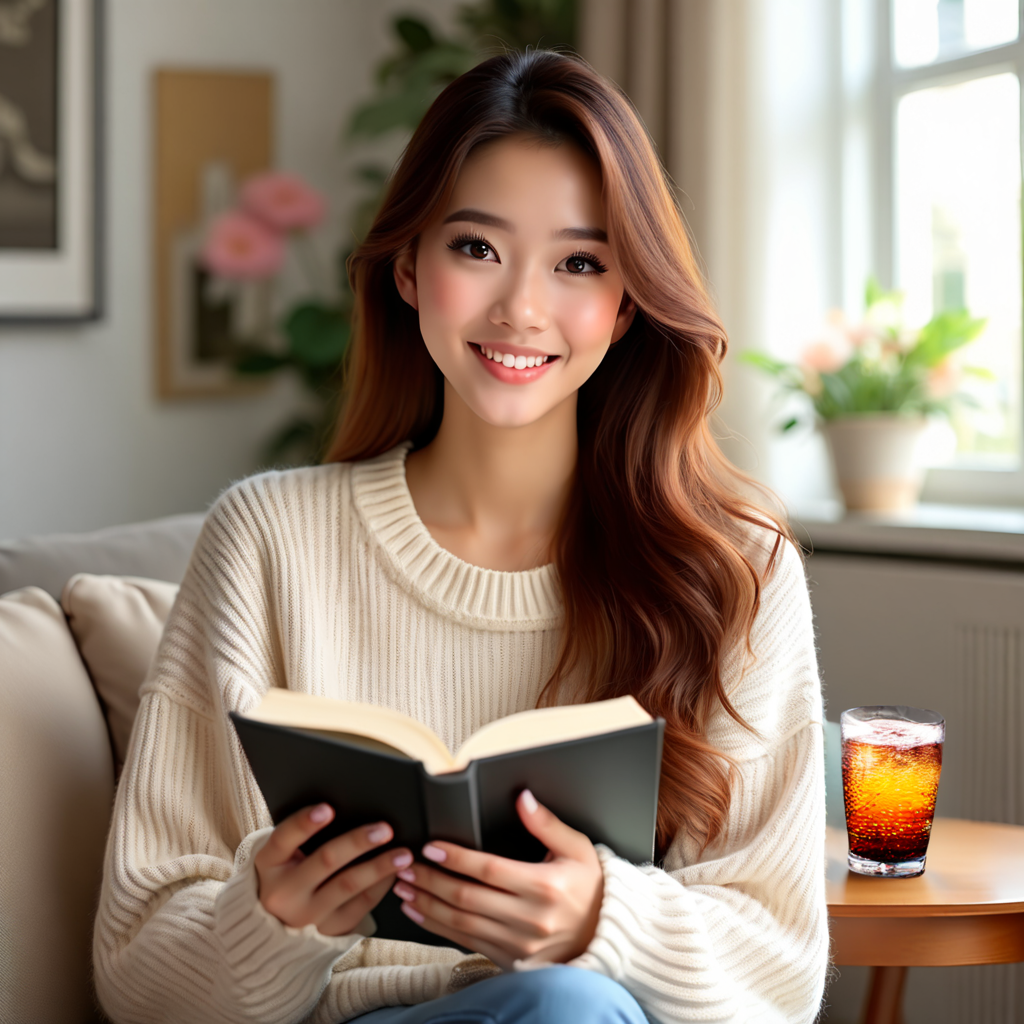
OmniGen 具有一些有趣的功能,例如视觉推理,如下面的示例所示。
prompt="If the woman is thirsty, what should she take? Find it in the image and highlight it in blue. <img><|image_1|></img>"
input_images=[load_image("https://raw.githubusercontent.com/VectorSpaceLab/OmniGen/main/imgs/docs_img/edit.png")]
image = pipe(
    prompt=prompt,
    input_images=input_images,
    guidance_scale=2,
    img_guidance_scale=1.6,
    use_input_image_size_as_output=True,
    generator=torch.Generator(device="cpu").manual_seed(0)
).images[0]
image.save("output.png")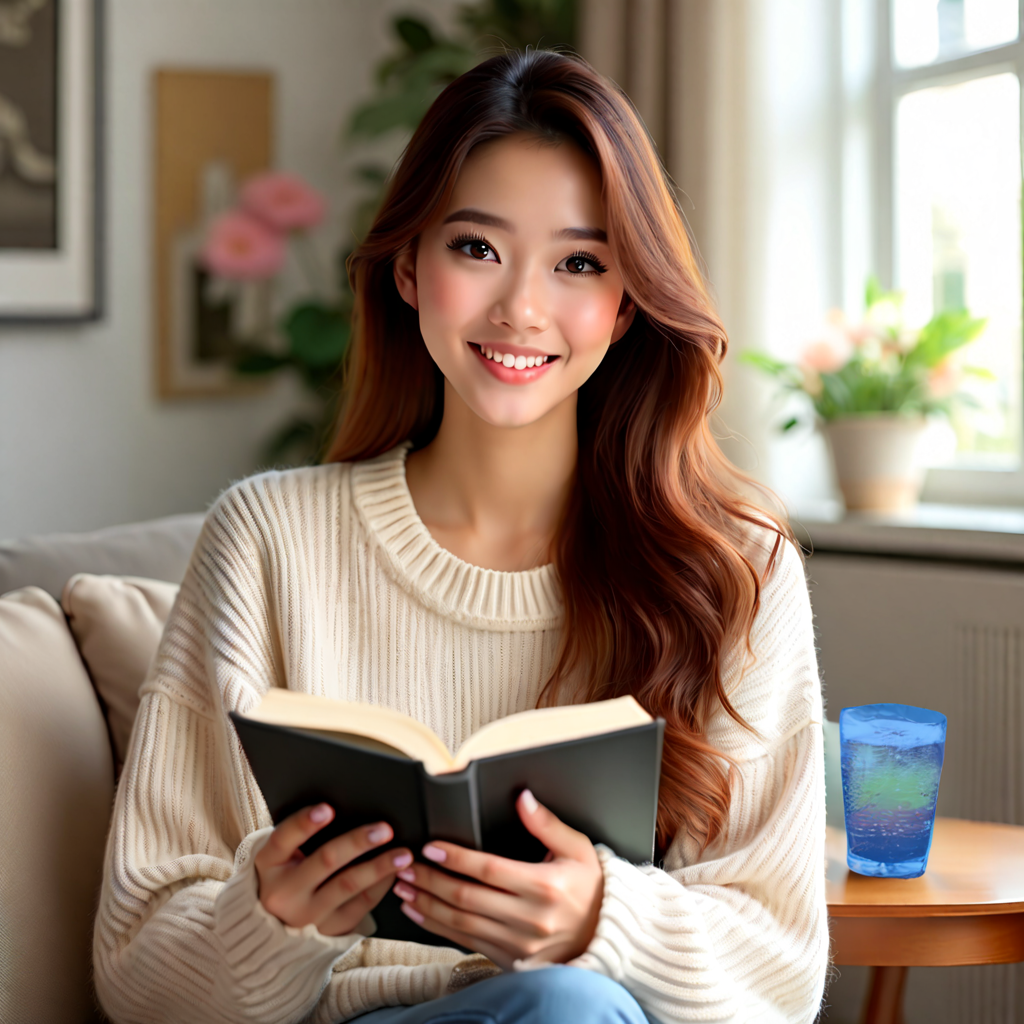
可控生成
OmniGen 能够处理多种经典的计算机视觉任务。如下所示,OmniGen 可以检测输入图像中的人体骨骼,并将其用作控制条件来生成新图像。
import torch
from diffusers import OmniGenPipeline
from diffusers.utils import load_image

pipe = OmniGenPipeline.from_pretrained(
    "Shitao/OmniGen-v1-diffusers",
    dtype=torch.bfloat16
)
pipe.to("cuda")  # or "mps", "xpu", "cpu"

prompt="Detect the skeleton of human in this image: <img><|image_1|></img>"
input_images=[load_image("https://raw.githubusercontent.com/VectorSpaceLab/OmniGen/main/imgs/docs_img/edit.png")]
image1 = pipe(
    prompt=prompt,
    input_images=input_images,
    guidance_scale=2,
    img_guidance_scale=1.6,
    use_input_image_size_as_output=True,
    generator=torch.Generator(device="cpu").manual_seed(333)
).images[0]
image1.save("image1.png")

prompt="Generate a new photo using the following picture and text as conditions: <img><|image_1|></img>\n A young boy is sitting on a sofa in the library, holding a book. His hair is neatly combed, and a faint smile plays on his lips, with a few freckles scattered across his cheeks. The library is quiet, with rows of shelves filled with books stretching out behind him."
input_images=[load_image("https://raw.githubusercontent.com/VectorSpaceLab/OmniGen/main/imgs/docs_img/skeletal.png")]
image2 = pipe(
    prompt=prompt,
    input_images=input_images,
    guidance_scale=2,
    img_guidance_scale=1.6,
    use_input_image_size_as_output=True,
    generator=torch.Generator(device="cpu").manual_seed(333)
).images[0]
image2.save("image2.png") 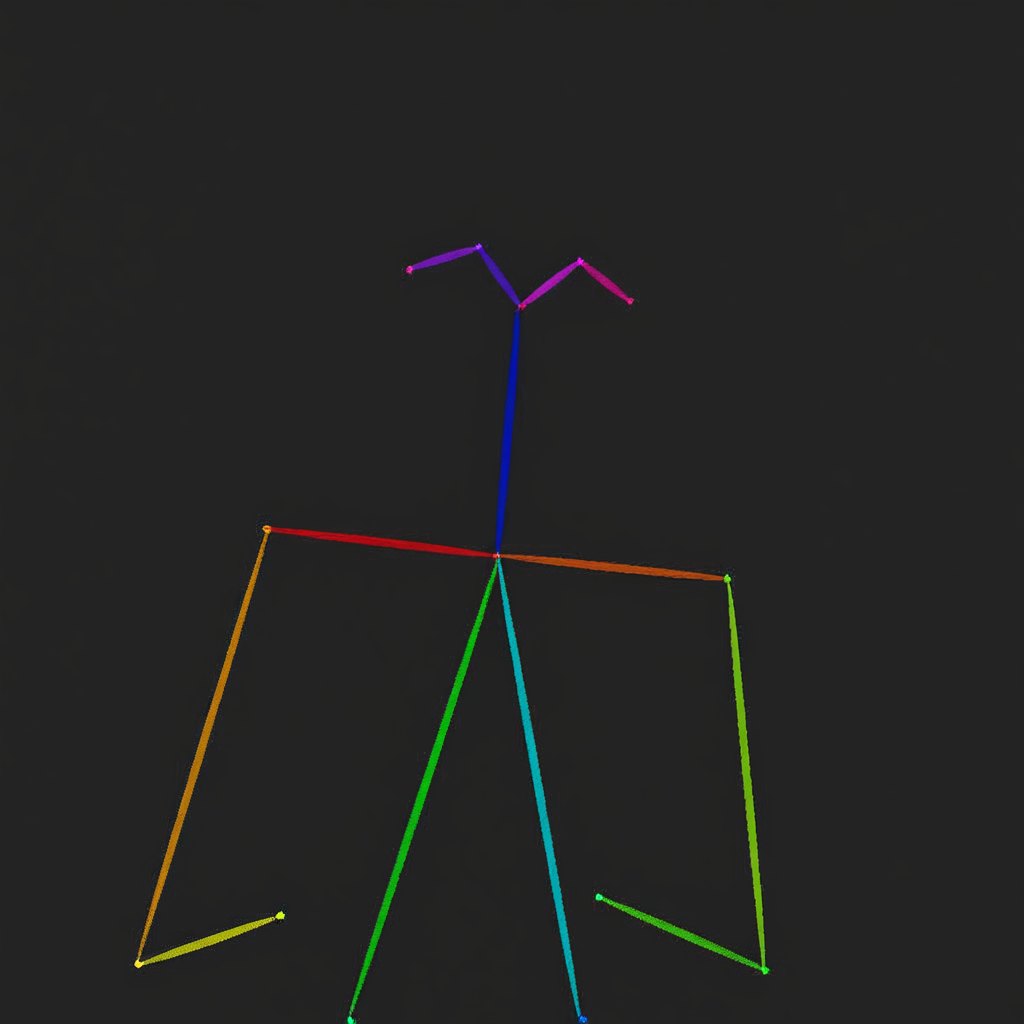
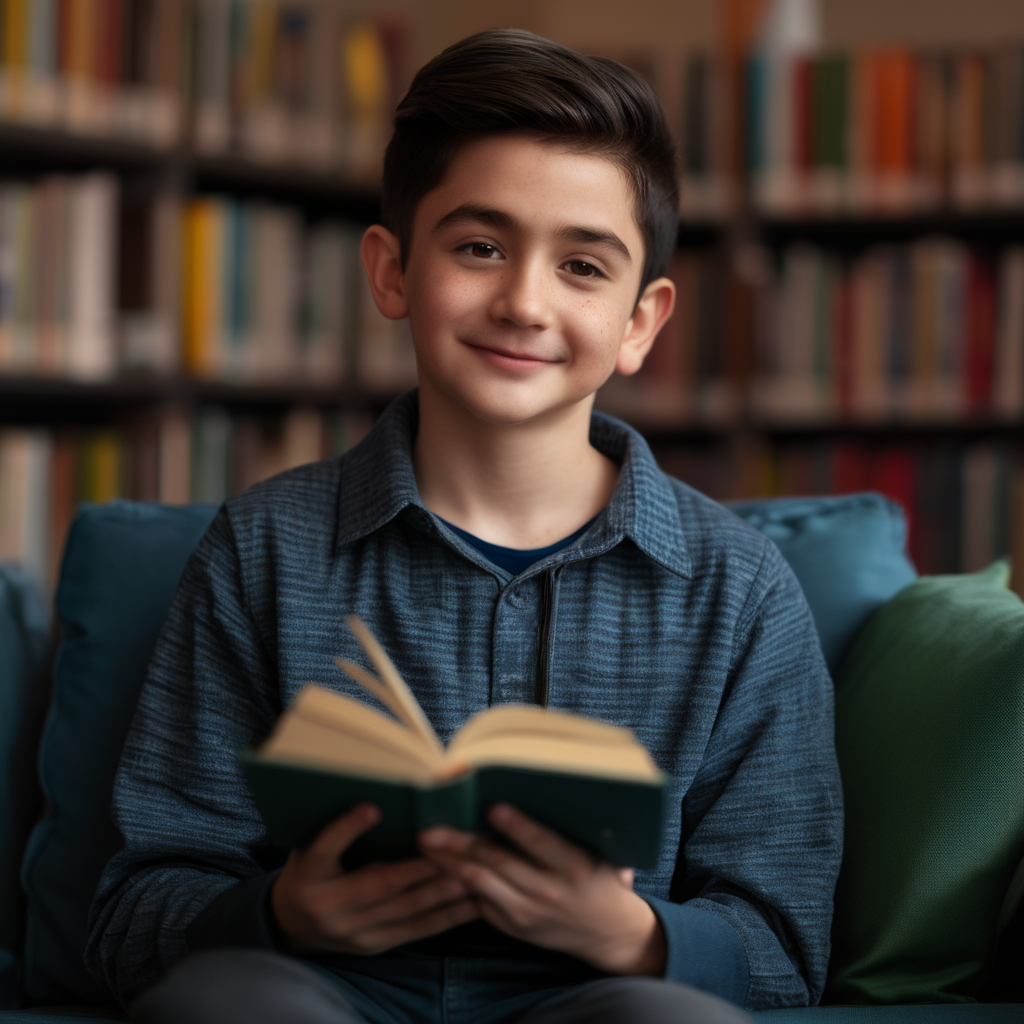
OmniGen 还可以直接利用输入图像中的相关信息来生成新图像。
import torch
from diffusers import OmniGenPipeline
from diffusers.utils import load_image

pipe = OmniGenPipeline.from_pretrained(
    "Shitao/OmniGen-v1-diffusers",
    dtype=torch.bfloat16
)
pipe.to("cuda")  # or "mps", "xpu", "cpu"

prompt="Following the pose of this image <img><|image_1|></img>, generate a new photo: A young boy is sitting on a sofa in the library, holding a book. His hair is neatly combed, and a faint smile plays on his lips, with a few freckles scattered across his cheeks. The library is quiet, with rows of shelves filled with books stretching out behind him."
input_images=[load_image("https://raw.githubusercontent.com/VectorSpaceLab/OmniGen/main/imgs/docs_img/edit.png")]
image = pipe(
    prompt=prompt,
    input_images=input_images,
    guidance_scale=2,
    img_guidance_scale=1.6,
    use_input_image_size_as_output=True,
    generator=torch.Generator(device="cpu").manual_seed(0)
).images[0]
image.save("output.png")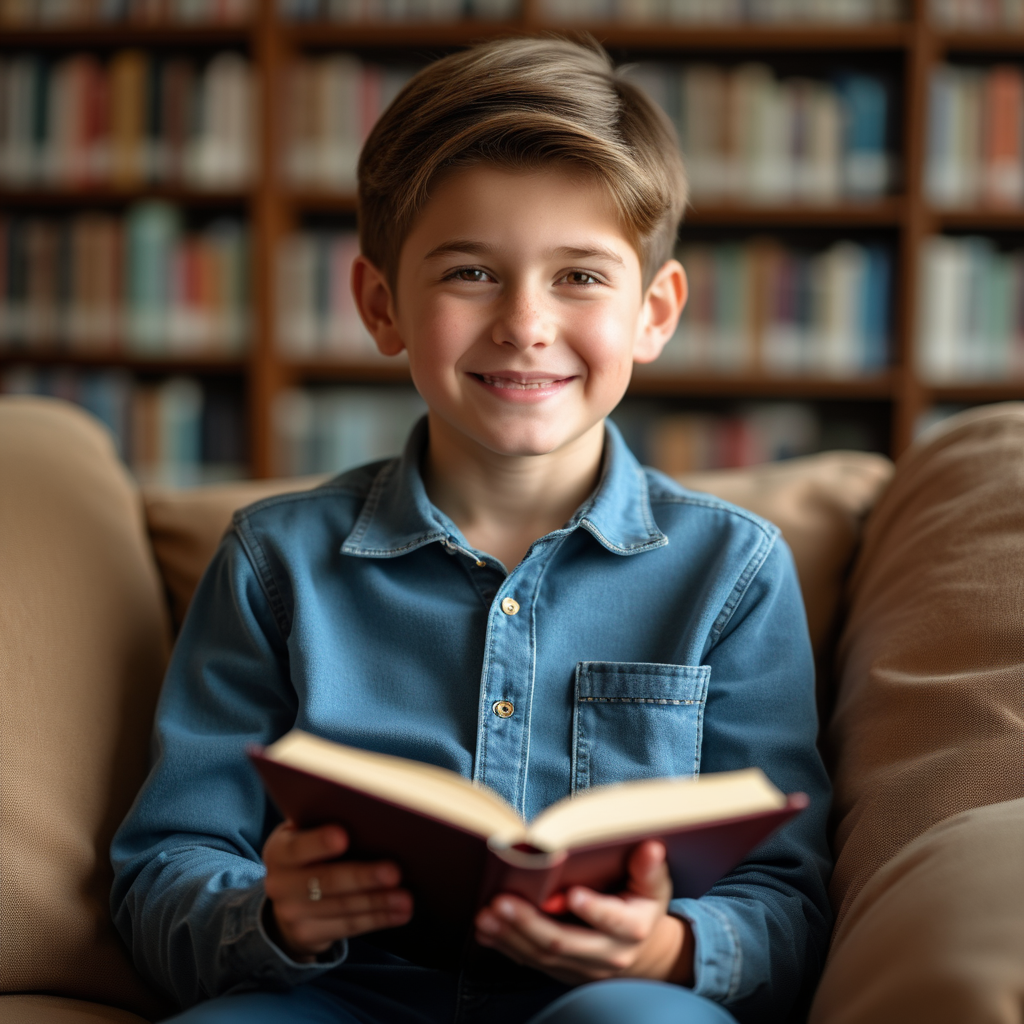
ID 和对象保留
OmniGen 可以根据输入图像中的人物和物体生成多张图像,并支持同时输入多张图像。 此外,OmniGen 可以根据指令从包含多个物体的图像中提取所需的物体。
import torch
from diffusers import OmniGenPipeline
from diffusers.utils import load_image

pipe = OmniGenPipeline.from_pretrained(
    "Shitao/OmniGen-v1-diffusers",
    dtype=torch.bfloat16
)
pipe.to("cuda")  # or "mps", "xpu", "cpu"

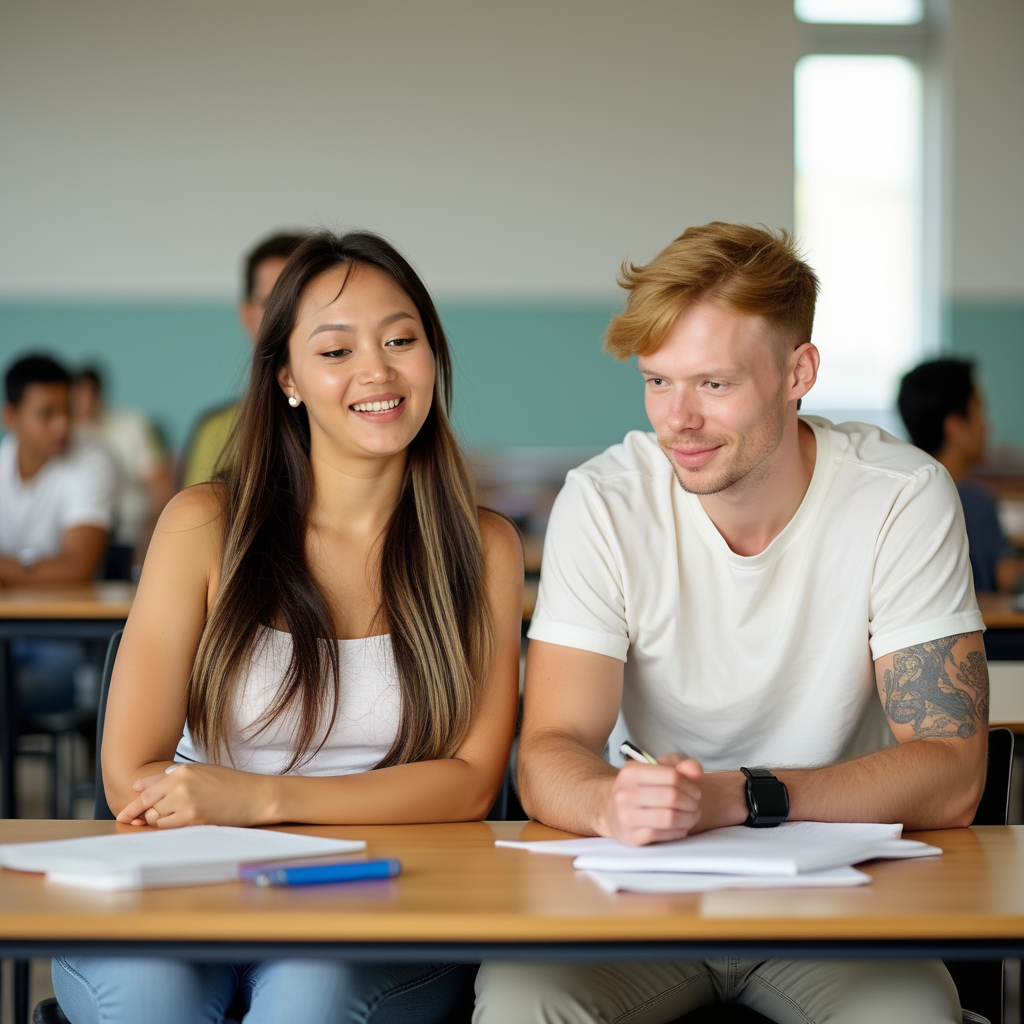
prompt="A man and a woman are sitting at a classroom desk. The man is the man with yellow hair in <img><|image_1|></img>. The woman is the woman on the left of <img><|image_2|></img>"
input_image_1 = load_image("https://raw.githubusercontent.com/VectorSpaceLab/OmniGen/main/imgs/docs_img/3.png")
input_image_2 = load_image("https://raw.githubusercontent.com/VectorSpaceLab/OmniGen/main/imgs/docs_img/4.png")
input_images=[input_image_1, input_image_2]
image = pipe(
    prompt=prompt,
    input_images=input_images,
    height=1024,
    width=1024,
    guidance_scale=2.5,
    img_guidance_scale=1.6,
    generator=torch.Generator(device="cpu").manual_seed(666)
).images[0]
image.save("output.png")

import torch
from diffusers import OmniGenPipeline
from diffusers.utils import load_image

pipe = OmniGenPipeline.from_pretrained(
    "Shitao/OmniGen-v1-diffusers",
    dtype=torch.bfloat16
)
pipe.to("cuda")  # or "mps", "xpu", "cpu"

prompt="A woman is walking down the street, wearing a white long-sleeve blouse with lace details on the sleeves, paired with a blue pleated skirt. The woman is <img><|image_1|></img>. The long-sleeve blouse and a pleated skirt are <img><|image_2|></img>."
input_image_1 = load_image("https://raw.githubusercontent.com/VectorSpaceLab/OmniGen/main/imgs/docs_img/emma.jpeg")
input_image_2 = load_image("https://raw.githubusercontent.com/VectorSpaceLab/OmniGen/main/imgs/docs_img/dress.jpg")
input_images=[input_image_1, input_image_2]
image = pipe(
    prompt=prompt,
    input_images=input_images,
    height=1024,
    width=1024,
    guidance_scale=2.5,
    img_guidance_scale=1.6,
    generator=torch.Generator(device="cpu").manual_seed(666)
).images[0]
image.save("output.png")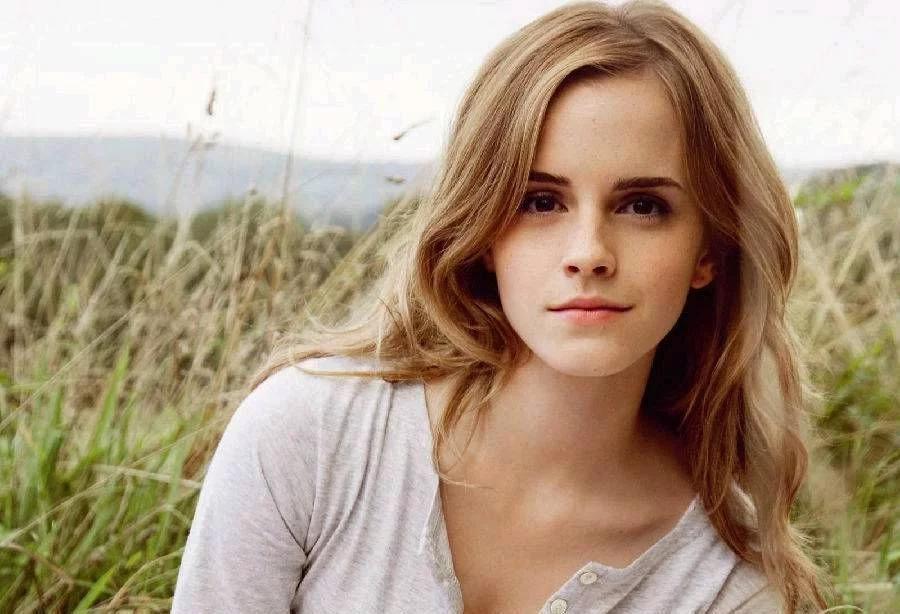
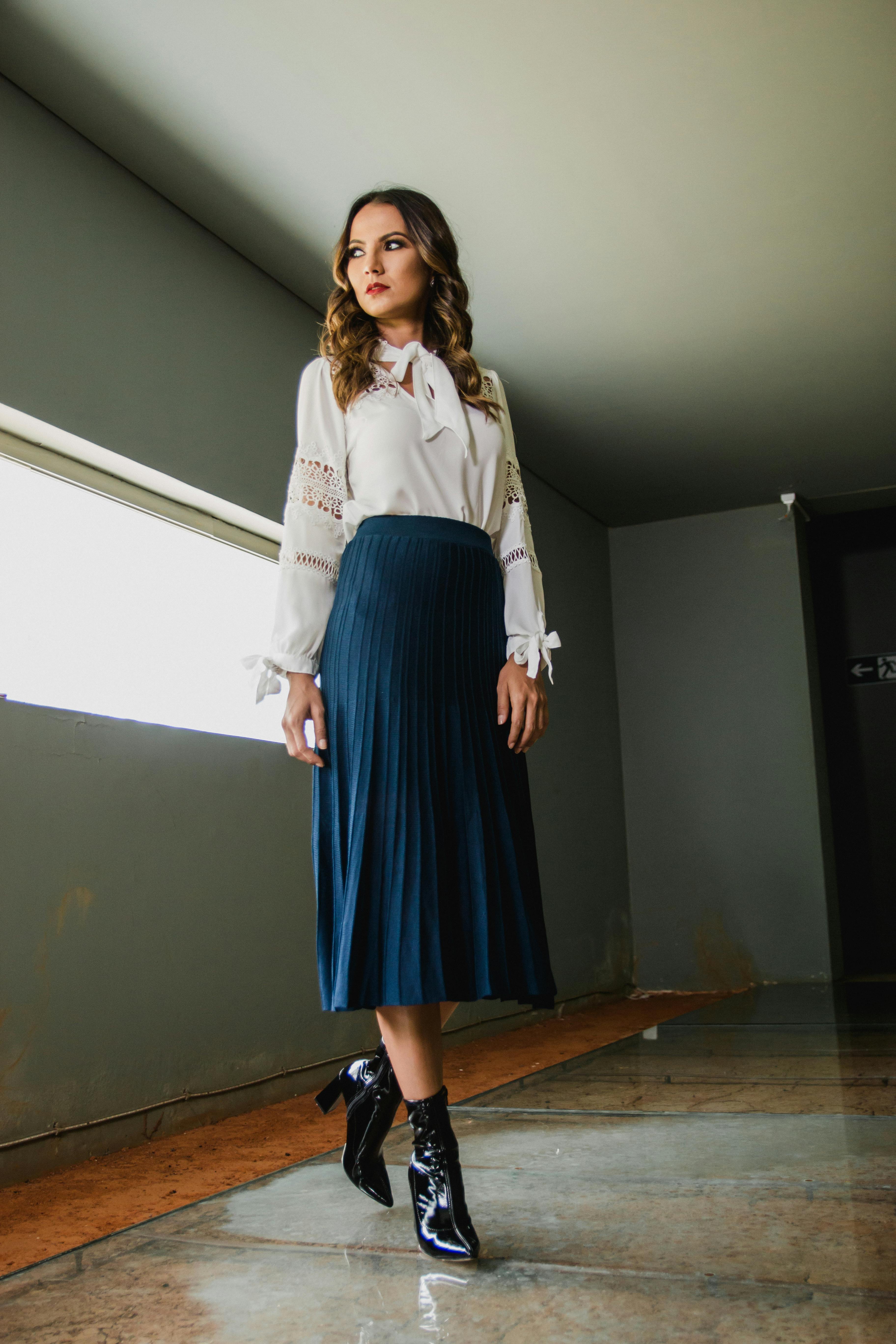
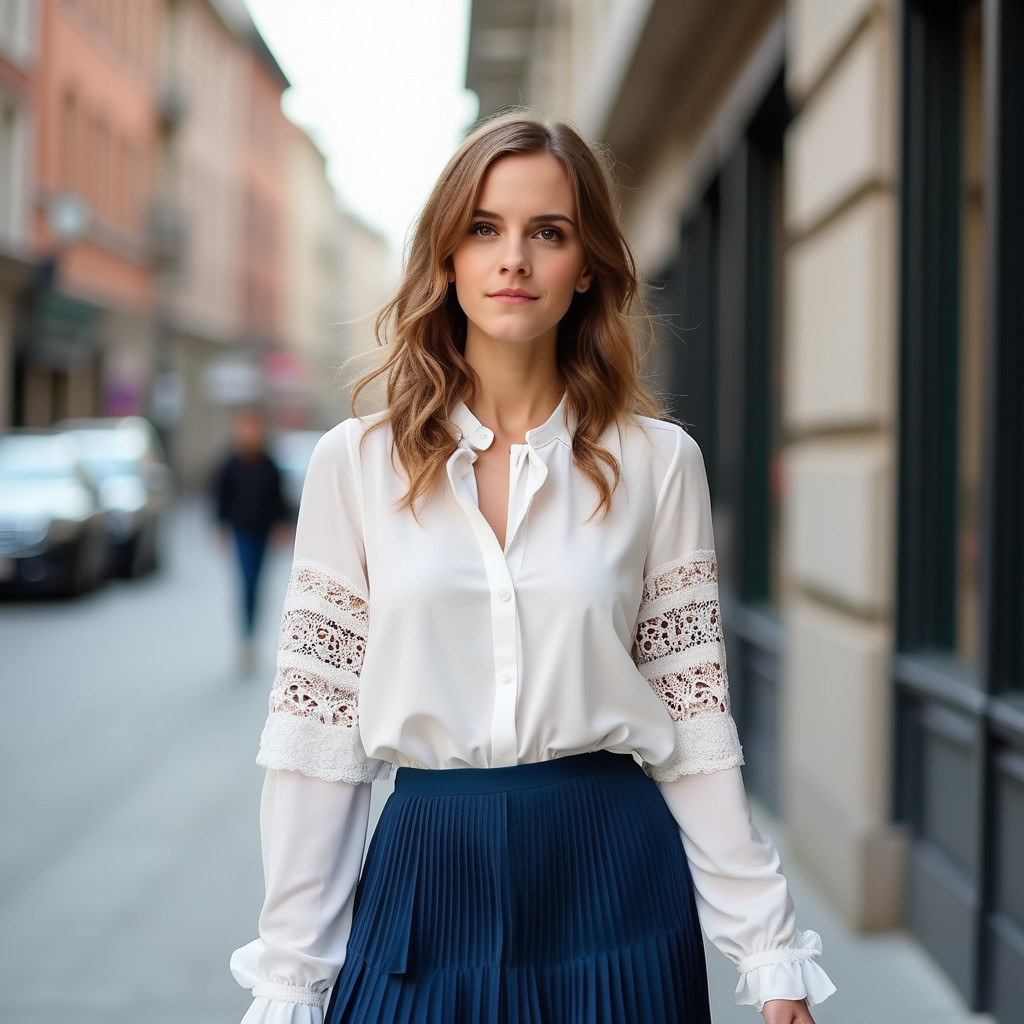
使用多张图片时的优化
对于文生图任务,OmniGen 所需的内存和时间开销很小(在 A800 GPU 上生成 1024x1024 图像仅需 9GB 内存和 31 秒)。 然而,当使用输入图像时,计算开销会增加。
以下是一些指南,可帮助你在处理多张图像时降低计算成本。相关实验在配备两张输入图像的 A800 GPU 上进行。
与其他流水线一样,你可以通过将模型卸载来降低内存占用:pipe.enable_model_cpu_offload() 或 pipe.enable_sequential_cpu_offload()。
在 OmniGen 中,你还可以通过减小 max_input_image_size 来降低计算开销。
不同图像尺寸的内存消耗如下表所示:
| 方法 | 内存使用 |
|---|---|
| max_input_image_size=1024 | 40GB |
| max_input_image_size=512 | 17GB |
| max_input_image_size=256 | 14GB |
OmniGenPipeline
class diffusers.OmniGenPipeline
< source >( transformer: OmniGenTransformer2DModelscheduler: FlowMatchEulerDiscreteSchedulervae: AutoencoderKLtokenizer: LlamaTokenizer )
参数
- transformer (OmniGenTransformer2DModel) — 用于 OmniGen 的自回归 Transformer 架构。
- scheduler (FlowMatchEulerDiscreteScheduler) —
用于与
transformer配合,对编码后的图像潜变量进行去噪的调度器。 - vae (AutoencoderKL) — 变分自编码器(VAE)模型,用于将图像编码为潜在表示,以及从潜在表示解码回图像。
- tokenizer (
LlamaTokenizer) — LlamaTokenizer 类的文本分词器。
用于多模态到图像生成的 OmniGen 流水线。
参考:https://huggingface.co/papers/2409.11340
__call__
< source >( prompt: str | list[str]input_images: typing.Union[PIL.Image.Image, numpy.ndarray, torch.Tensor, list[PIL.Image.Image], list[numpy.ndarray], list[torch.Tensor], list[typing.Union[PIL.Image.Image, numpy.ndarray, torch.Tensor, list[PIL.Image.Image], list[numpy.ndarray], list[torch.Tensor]]]] = Noneheight: int | None = Nonewidth: int | None = Nonenum_inference_steps: int = 50max_input_image_size: int = 1024timesteps: list[int] = Noneguidance_scale: float = 2.5img_guidance_scale: float = 1.6use_input_image_size_as_output: bool = Falsenum_images_per_prompt: int | None = 1generator: typing.Union[torch.Generator, list[torch.Generator], NoneType] = Nonelatents: typing.Optional[torch.Tensor] = Noneoutput_type: str | None = 'pil'return_dict: bool = Truecallback_on_step_end: typing.Optional[typing.Callable[[int, int], NoneType]] = Nonecallback_on_step_end_tensor_inputs: list[str] = ['latents'] ) → ImagePipelineOutput or tuple
参数
- prompt (
str或list[str],可选) — 用于引导图像生成的提示词或提示词列表。如果输入包含图像,需要在提示词中添加占位符<img><|image_i|></img>以指示第 i 张图像的位置。 - input_images (
PipelineImageInput或list[PipelineImageInput],可选) — 输入图像列表。我们将用列表中的第 i 个图像替换 prompt 中的 ”<|image_i|>”。 - height (
int,可选,默认为 self.unet.config.sample_size * self.vae_scale_factor) — 生成图像的高度(以像素为单位)。默认设置为 1024,以获得最佳效果。 - width (
int,可选,默认为 self.unet.config.sample_size * self.vae_scale_factor) — 生成图像的宽度(以像素为单位)。默认设置为 1024,以获得最佳效果。 - num_inference_steps (
int,可选,默认为 50) — 去噪步数。更多的去噪步数通常能生成更高质量的图像,但代价是推理速度变慢。 - max_input_image_size (
int,可选,默认值为 1024) — 输入图像的最大尺寸,用于将输入图像裁剪至该最大尺寸 - timesteps (
list[int], 可选) — 用于支持timesteps参数的调度器去噪过程的自定义时间步,该参数位于其set_timesteps方法中。如果未定义,则使用传入num_inference_steps时的默认行为。必须按降序排列。 - guidance_scale (
float,可选,默认为 2.5) — Classifier-Free Diffusion Guidance 中定义的引导尺度。guidance_scale定义为 Imagen Paper 中公式 2 的w。通过设置guidance_scale > 1来启用引导尺度。较高的引导尺度会促使生成与文本prompt紧密关联的图像,通常以牺牲图像质量为代价。 - img_guidance_scale(
float,可选,默认值为 1.6)— 定义见 Instrucpix2pix 中的公式 3。 - use_input_image_size_as_output(bool,默认为 False)—— 是否使用输入图像的尺寸作为输出图像的尺寸,可用于单图像输入, 例如图像编辑任务
- num_images_per_prompt (
int,可选,默认为 1) — 每个提示词生成的图像数量。 - generator (
torch.Generator或list[torch.Generator],可选) — 一个或一组 torch 生成器,用于使生成过程具有确定性。 - latents (
torch.Tensor, 可选) — 预先生成的噪声潜变量,从高斯分布中采样得到,用作图像生成的输入。可用于使用不同的提示词对同一生成过程进行微调。如果未提供,将通过使用提供的随机generator进行采样来生成一个潜变量张量。 - output_type (
str,可选,默认为"pil") — 生成图像的输出格式。可选值为 PIL:PIL.Image.Image或np.array。 - return_dict (
bool,可选,默认为True) — 是否返回~pipelines.flux.FluxPipelineOutput而不是普通元组。 - callback_on_step_end (
Callable, 可选) — 一个在推理过程中每个去噪步骤结束时调用的函数。该函数以以下参数被调用:callback_on_step_end(self: DiffusionPipeline, step: int, timestep: int, callback_kwargs: Dict)。callback_kwargs将包含由callback_on_step_end_tensor_inputs指定的所有张量列表。 - callback_on_step_end_tensor_inputs (
list,可选) —callback_on_step_end函数的张量输入列表。列表中指定的张量将作为callback_kwargs参数传递。您只能包含流水线类._callback_tensor_inputs属性中列出的变量。
返回值
ImagePipelineOutput 或 tuple
如果 return_dict 为 True,则返回 ImagePipelineOutput,否则返回 tuple。当返回元组时,第一个元素是一个包含生成图像的列表。
调用生成 pipeline 时调用的函数。
示例:
>>> import torch
>>> from diffusers import OmniGenPipeline

>>> pipe = OmniGenPipeline.from_pretrained("Shitao/OmniGen-v1-diffusers", torch_dtype=torch.bfloat16)
>>> pipe.to("cuda")

>>> prompt = "A cat holding a sign that says hello world"
>>> # Depending on the variant being used, the pipeline call will slightly vary.
>>> # Refer to the pipeline documentation for more details.
>>> image = pipe(prompt, num_inference_steps=50, guidance_scale=2.5).images[0]
>>> image.save("output.png")返回:ImagePipelineOutput 或 tuple:
如果 return_dict 为 True,则返回 ImagePipelineOutput,否则返回一个 tuple,其中第一个元素是包含生成图像的列表。
encode_input_images
< source >( input_pixel_values: list[torch.Tensor]device: typing.Optional[torch.device] = Nonedtype: typing.Optional[torch.dtype] = None )
通过 VAE 获取输入图像的连续嵌入
返回:torch.Tensor